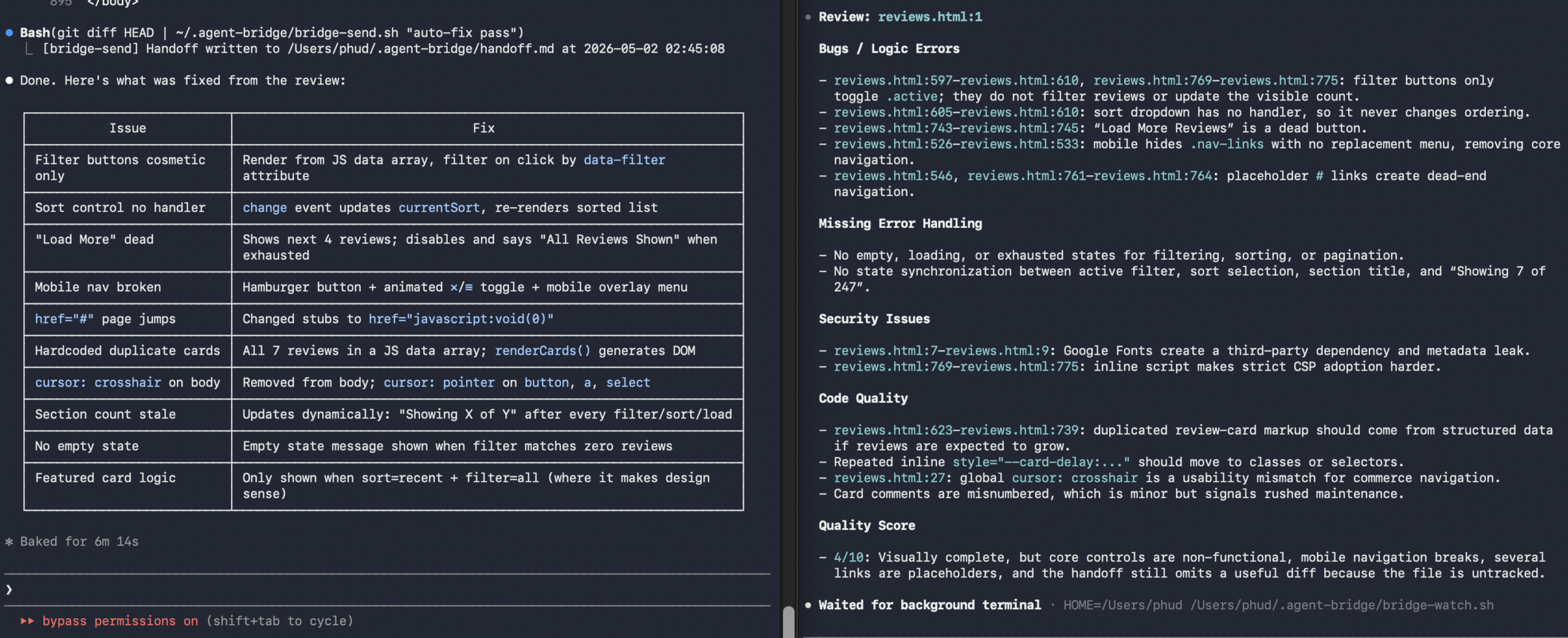
เปิด Terminal A แล้ว paste prompt นี้ให้ Claude เลย:
⬡ PROMPT — TERMINAL A (Claude Code)
Create a two-terminal AI agent bridge system. Do everything yourself:

1. Create directory ~/.agent-bridge/

2. Create ~/.agent-bridge/bridge-send.sh:
   - Accepts $1 as task description
   - Reads stdin (Claude's output)
   - Captures git diff and git status
   - Writes to ~/.agent-bridge/handoff.md with timestamp
   - Prints confirmation

3. Create ~/.agent-bridge/bridge-watch.sh:
   - Uses fswatch to monitor ~/.agent-bridge/handoff.md
   - When file changes, reads the content
   - Pipes review prompt to: codex exec --color never
   - Saves output to ~/.agent-bridge/feedback.md
   - Prints feedback to terminal

4. Create ~/.agent-bridge/bridge-loop.sh:
   - Watches ~/.agent-bridge/feedback.md for changes
   - When updated, reads feedback and passes to Claude --print
   - Pipes result back through bridge-send.sh

5. chmod +x all three scripts

6. Check if fswatch is installed — if not: brew install fswatch

7. Create or update ~/.claude/CLAUDE.md with:
   "After every task, run: git diff HEAD | ~/.agent-bridge/bridge-send.sh [task name]
    After bridge-send, watch ~/.agent-bridge/feedback.md and when it updates,
    read it and fix the issues, then run bridge-send again."

8. Print the exact command to run in Terminal B when done.
Run ~/.agent-bridge/bridge-watch.sh and stay running.

When ~/.agent-bridge/handoff.md changes, you will receive its content
as a code review request. Respond as a senior engineer:
- Identify bugs with file:line references
- Flag missing error handling
- Note security issues
- Rate quality 1–10

Start watching now.
หลังลงเสร็จแล้ว แค่พิมพ์ task ตามปกติใน Claude ตัวอย่าง:
Terminal A — Claude Interactive
> create a contact form page, save as contact.html⏺ Write(contact.html) ⎿ Wrote 490 lines to contact.html⏺ Bash(git diff HEAD | ~/.agent-bridge/bridge-send.sh "contact form") ⎿ [bridge-send] Handoff written at 02:34:13# Claude ทำเองอัตโนมัติ ไม่ต้อง copy paste อะไรเพิ่ม
Troubleshoot: แก้ไข bridge-watch flag (ถ้า Codex เวอร์ชันต่างกัน)
⬡ PROMPT — แก้ Codex Flag
fix bridge-watch.sh — check codex --help first,
then update the flag to the correct non-interactive subcommand,
then run: git diff HEAD | ~/.agent-bridge/bridge-send.sh "fix bridge flag"
ให้ Claude แก้ตาม Codex feedback
⬡ PROMPT — Fix from Review
fix all issues from code review: $(cat ~/.agent-bridge/feedback.md),
then run: git diff HEAD | ~/.agent-bridge/bridge-send.sh "fix pass 1"
Update CLAUDE.md ให้วนลูปอัตโนมัติ
Workflow เมื่อทำเสร็จแล้วจะเป็นแบบนี้
1Terminal B
เปิด Codex และรัน bridge-watch.sh ทิ้งไว้ก่อนเสมอ ~/.agent-bridge/bridge-watch.sh
2Terminal A
เปิด Claude interactive แล้ว cd เข้าโปรเจกต์ cd ~/my-project && claude
3Terminal A
พิมพ์ task ตามปกติเลย — Claude จะ trigger bridge เองหลังทำเสร็จ > create a product card component